



Introduction
Creating digital content requires more than writing compelling headlines and publishing useful information. Images, illustrations, thumbnails, and social media graphics all contribute to how audiences discover and interact with content.
For creators who publish regularly, producing original visuals for every article, video, or campaign can become time-consuming. An AI image generator offers a practical way to turn written ideas into visual assets that support different content formats.
From blog illustrations to video thumbnail concepts, AI-powered image creation can help marketers, bloggers, freelancers, and businesses develop visual content more efficiently. The key is knowing how to use these tools strategically rather than generating images without a clear purpose.
What Makes an AI Image Generator Useful for Content Creators?
An AI image generator creates visuals from written prompts and, depending on the tool, other inputs or settings. Instead of relying exclusively on stock photography or manually designing every concept, creators can describe the visual they need and generate potential options.
This approach is particularly useful when content requires a specific scene, unusual concept, or visual style that is difficult to find in existing image libraries.
For example, a technology blogger writing about artificial intelligence could generate a conceptual illustration of interconnected digital systems. A travel creator could explore visual concepts for destinations, while an ecommerce marketer could develop campaign backgrounds.
Generated images still require review, but they can provide a flexible starting point for content production.
1. Create Original Images for Blog Posts
Blog illustrations can make complex information easier to understand and give articles a more distinctive visual identity.
Instead of using an unrelated stock photograph, create an image that reflects the article's main idea.
Examples include:
-
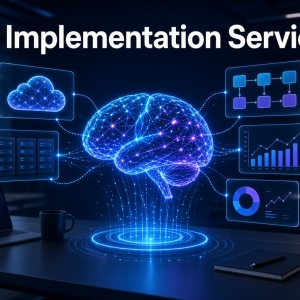
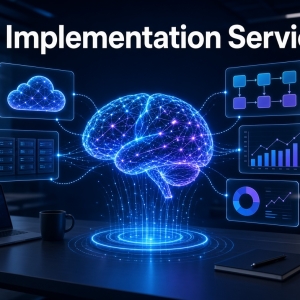
A conceptual image of AI automation for a technology article
-
A home office illustration for a remote-work guide
-
A data visualization concept for an analytics article
-
A landscape image for a travel guide
-
A creative product scene for a buying guide
Before generating an image, identify the section it should support and the information readers should understand from it.
For SEO, ensure that the image is relevant, appropriately sized, and accessible. Use descriptive file names and accurate alt text. Avoid creating multiple decorative images simply to increase keyword coverage.
2. Design Social Media Visuals for Different Platforms
Social media content frequently needs several visual formats for the same topic. A single idea may be adapted into a square graphic, a vertical story, a horizontal LinkedIn image, and a video cover.
An AI image generator can help create alternative compositions and visual concepts for these placements.
For example, a marketing agency publishing content about website performance could develop:
-
A clean editorial graphic for LinkedIn
-
A vertical visual for short-form video
-
A technology-themed background for an educational post
-
A campaign image for a promotional announcement
Keep the brand's color palette and visual guidelines consistent. Add important headlines and logos using a design editor when the image generator cannot render them accurately.
3. Generate YouTube Thumbnail Concepts
A video thumbnail should communicate the subject quickly and remain understandable at small sizes.
AI-generated visuals can help creators explore different backgrounds, settings, and compositions before finalizing a thumbnail.
Suppose a creator is publishing a video about building an online business. The image generator could produce a visual of a modern workspace, a digital dashboard, or a conceptual business-growth scene.
For the final design:
-
Keep the main subject visually prominent.
-
Leave clear space for a short headline.
-
Use a composition that remains recognizable at smaller sizes.
-
Add text and branding in an editor.
-
Verify the final dimensions against the platform's requirements.
The generated image is only one part of an effective thumbnail. The headline, topic relevance, and audience expectations also matter.
4. Turn Educational Topics Into Visual Explanations
Some topics are easier to understand when readers can see a concept represented visually.
AI-generated illustrations can support educational articles, training materials, online courses, and presentations.
Consider a lesson explaining how cloud computing works. A creator might request an illustration showing devices connecting to remote servers through a digital network.
Other examples include:
-
Illustrations of renewable energy systems
-
Conceptual diagrams of business processes
-
Visual representations of software workflows
-
Creative images explaining marketing funnels
-
Illustrations for beginner-friendly technology guides
When an image must explain precise technical relationships, use a diagram or manually verified illustration instead of relying on a decorative AI-generated scene. Always check factual details.
5. Develop Visual Ideas for Email Marketing
Email campaigns benefit from relevant imagery when visuals support the message without distracting from the main call to action.
AI image generation can help marketers explore concepts for product announcements, seasonal campaigns, newsletters, and promotional emails.
For example, a company launching a new productivity application could generate a clean workspace scene or a conceptual illustration of organized digital tasks.
When creating email visuals, consider file size, mobile readability, accessibility, and the possibility that recipients may have images disabled. Essential information should remain available in the email's text rather than existing only inside an image.
6. Create Consistent Visuals for a Content Calendar
Publishing consistently is easier when content teams have a repeatable production process.
An AI-assisted visual workflow can help creators plan images alongside articles, videos, and social media posts.
A simple process looks like this:
Plan the content → Write the visual brief → Generate image options → Review and refine → Optimize and publish.
For each content item, document:
-
The topic and target audience
-
The image's purpose
-
Preferred visual style
-
Required dimensions
-
Brand colors and composition
-
File naming and alt-text requirements
This approach helps teams maintain quality and reduces the time spent deciding what to create each time a new post is published.
7. Write Prompts That Match Your Content Goals
The same subject can produce different results depending on the instructions.
Compare these prompts:
Basic prompt: A person working on a computer.
Detailed prompt: Create a realistic editorial image of a freelance content creator working at a tidy home office desk, with a laptop, notebook, soft natural window light, neutral colors, and a professional atmosphere. Use a wide composition with empty space on the right for a blog headline.
The second prompt communicates the setting, style, composition, and intended placement.
A useful prompt should be specific enough to guide the image while leaving the model room to produce a coherent result. Generate variations when the first output does not meet your requirements.
8. Optimize Your Visual Content for Website Performance
High-quality images should not make a website unnecessarily slow.
Before uploading AI-generated visuals, resize them to appropriate dimensions and compress them using a suitable image format. Consider WebP or AVIF when supported by your website and workflow.
Also:
-
Write meaningful alt text for informative images.
-
Use empty alt attributes for purely decorative images when appropriate.
-
Avoid filenames that consist of random characters.
-
Prevent large images from shifting the page layout by specifying image dimensions.
-
Use responsive images where available.
-
Check that images display correctly on mobile devices.
These practices improve the overall experience of consuming visual content. They do not guarantee search rankings, but they help create a more usable and technically sound website.
Why Content Creators Should Explore Pyxa AI
Pyxa AI offers an AI Image Generator for users who want to explore text-driven image creation as part of their creative workflow.
The tool can be considered for generating concepts and visual assets for articles, digital campaigns, and other creative projects. Before choosing a tool, review its current features, available generation options, usage limits, and licensing terms.
Explore the Pyxa AI Image Generator to learn more.
Frequently Asked Questions
Can AI-generated images be used in blog posts?
Yes, where permitted by the tool's terms and applicable law. Images should be relevant, accurate, appropriately optimized, and useful to readers.
Can an AI image generator create images for social media?
Yes. It can help develop concepts and backgrounds for different social platforms. Check each platform's dimensions and use an editor for precise text, logos, and final layout adjustments.
Do AI-generated images improve content engagement?
They can make content more visually relevant and appealing, but results depend on the audience, topic, image quality, and overall content experience. Performance should be measured rather than assumed.
Should every blog post have an AI-generated image?
Not necessarily. Use images when they support the content, explain an idea, or improve the reader's experience. Unnecessary visuals can add page weight without adding value.
How can I maintain a consistent style across generated images?
Document your preferred colors, lighting, composition, subject treatment, and visual style. Reuse consistent instructions and review every image before publication.
Conclusion
An AI image generator can support a wide range of content creation activities, from blog illustrations and social media graphics to video thumbnails and educational visuals.
The best results come from combining clear creative briefs with thoughtful prompts, consistent brand guidelines, and careful editing. When paired with image optimization and audience-focused content, AI-assisted visual creation can become a useful part of a repeatable publishing workflow.
Visit Pyxa AI's Image Generator to explore its image-generation capabilities.